





OVO Smart Meter Guide: Readings, Setup and Savings

Written by Tim Bailey
Reviewed by Pratik Aghera
8 min read
Updated: 16 Oct 2026
OVO Smart Meter Guide: Readings, Setup and Savings

An OVO smart meter is a digital gas or electricity meter that measures your usage in real time and sends automatic readings to OVO Energy, so you get accurate bills without submitting figures yourself. It comes with an In-Home Display (IHD) that shows your usage in pounds and pence, and it opens the door to time-of-use tariffs that charge less for electricity used off-peak.

For an engaged switcher who wants to pick the right tariff and shift usage into cheaper windows, the meter is the enabler, not the saving. The saving comes from what you do with it: matching your tariff to your usage pattern and moving high-drain tasks like EV charging or the dishwasher to off-peak hours. This walks through reading your meter, what to expect on installation day, whether you still need to send readings, and which OVO tariffs actually reward a smart meter.

Quick Answer: OVO Smart Meter Guide

  • OVO smart meters come with a free In-Home Display showing usage in £ and kWh.
  • Standard OVO installs in 2026 are SMETS2 meters that work across suppliers if you switch.
  • You usually do not need to send readings once the meter is in smart mode.
  • Around 72% of GB meters are now smart or advanced (DESNZ, June 2026).
  • Off-peak tariffs cut electricity prices at set hours for smart meter customers.

Last updated: September 2026

Written by the Free Price Compare editorial team | Reviewed September 2026

How do I read my OVO smart meter for gas and electricity?

Reading an OVO smart meter takes a few seconds on the meter itself or on your In-Home Display. On the electricity meter, press the A or B button to wake the screen and scroll to the reading labelled “IMPRT” (import) or “TOTAL ACT IMPORT” for a single-rate plan. If you are on a two-rate plan such as Economy 7, you will see two figures, usually “RATE 01” (day) and “RATE 02” (night). On the gas meter, press the button to wake the display and note the number shown in cubic metres. The In-Home Display shows the same usage data in real time, in pounds and pence as well as kWh, so you rarely need to touch the meter itself.

Different meter models differ slightly. OVO says the only type of smart meter it installs is SMETS2., while older SMETS1 units such as the Secure Liberty range use the same button-scroll principle but may label screens differently. If your screen shows “PIN” or asks for a code, wake it and press the button repeatedly to cycle past the locked screens to the reading.

Compare current energy tariffs

How long after installation until my meter works properly?

An OVO smart meter usually starts sending automatic readings within a few hours of installation, but full smart functionality can take up to six weeks to settle. On the day, the engineer confirms both meters are communicating with the national network before leaving, and your In-Home Display should show live usage almost straight away. The connection between the meter, the communications hub and the wider network can take longer to stabilise, especially in areas with weaker signal or in flats where the hub sits far from the meters.

If your In-Home Display shows no data after a couple of days, or your online account still asks for manual readings after six weeks, contact OVO. According to the Department for Energy Security and Net Zero, of the roughly 40 million smart meters in Great Britain, around 92% were operating in smart mode as of June 2026, so a meter stuck in “dumb” mode is the exception rather than the rule and is worth chasing.

Do I still need to submit meter readings with a smart meter?

No, you do not usually need to submit readings once your OVO smart meter is working in smart mode, because it sends readings automatically at set intervals. This is the core benefit: no more estimated bills and no monthly reminder to send figures. OVO can take readings daily, monthly or half-hourly depending on your settings and tariff, and your bills use those actual figures.

There are exceptions. If your meter drops out of smart mode, loses signal, or is an older SMETS1 unit that stopped communicating after a supplier switch, you may be asked to send a manual reading in the meantime. It is also sensible to take a photo of both meter readings on the day you switch supplier or tariff, and once a year as a backstop. To take a manual reading, wake the meter and scroll to the import screen as described above. For more on how automatic readings affect your bills, see our guide to smart meters and gas consumption.

Which OVO tariffs actually benefit from a smart meter?

OVO’s time-of-use tariffs and smart-charging add-ons are the ones that need a working smart meter to deliver savings. Standard tariffs, including OVO’s default Simpler Energy variable tariff, work fine without one, but they charge a single flat electricity rate all day. A smart meter get access tos tariffs that split the day into peak and off-peak windows and charge less for electricity used off-peak, which is where an engaged switcher can cut costs.

  • Simpler Energy (variable): the default tariff, capped each quarter by the Ofgem price cap. A smart meter improves billing accuracy but does not change the price.
  • Fixed tariffs (1 and 2 year): lock your unit rates for the term and sit outside the price cap. Useful for budgeting certainty rather than off-peak savings.
  • Time-of-use and EV tariffs: charge a cheaper electricity rate during set off-peak hours, aimed at drivers charging an EV or households that can shift heavy usage overnight. These require a smart meter.

The regulator itself flags this route. According to Ofgem, many suppliers offer tariffs with cheaper electricity to smart meter customers for electricity used out of peak times, alongside fixed tariffs available at £100 or more below the October 2026 price cap. If you are weighing OVO against other suppliers first, our comparison of British Gas vs OVO Energy lays out the differences.

Which OVO tariffs actually benefit from a smart meter

See if an off-peak tariff suits you

How much can off-peak rates actually save you?

Off-peak rates save money only if you can move enough usage into the cheaper window to offset a higher peak rate. Time-of-use tariffs typically charge a low overnight electricity rate and a higher daytime rate, so the maths favours households that run high-drain appliances at night: EV charging, storage heating, a hot water tank on a timer, or a dishwasher and washing machine on delay start. If most of your electricity is used in peak evening hours, a time-of-use tariff can cost more than a flat rate.

To put the backdrop in context, the Ofgem price cap for a typical dual-fuel direct debit household rose 4% to £1,723 a year from 1 October 2026, according to Ofgem’s price cap announcement (26 August 2026). The cap sets a maximum unit rate and standing charge for a typical user, not a fixed bill, so your actual cost depends on how much you use and when. A smart meter is what lets you prove and shift that timing.

Ready to check your options?

Compare energy tariffs from suppliers across the market in minutes.

Can I get an OVO smart meter if I rent or my meters are hard to reach?

Yes, renters can request an OVO smart meter if they pay the energy bills directly, though it is courteous to tell your landlord first. If your landlord pays the energy bills, they control the meter and you would need their agreement. There is no charge for the installation, and the meter belongs to the property, so it stays if you move out.

Access matters more than you might expect. An OVO engineer must be able to reach both meters and you must be present for the appointment, even where the meters sit in external boxes, because the engineer needs entry to the property to fit and pair the In-Home Display. Meters in awkward locations, such as a shared cupboard or a high external enclosure, can occasionally mean a gas smart meter is refused on safety or access grounds while the electricity meter is fitted. If an install is declined, ask OVO for the specific reason and whether a specialist appointment can resolve it.

What is an In-Home Display and how do you use it?

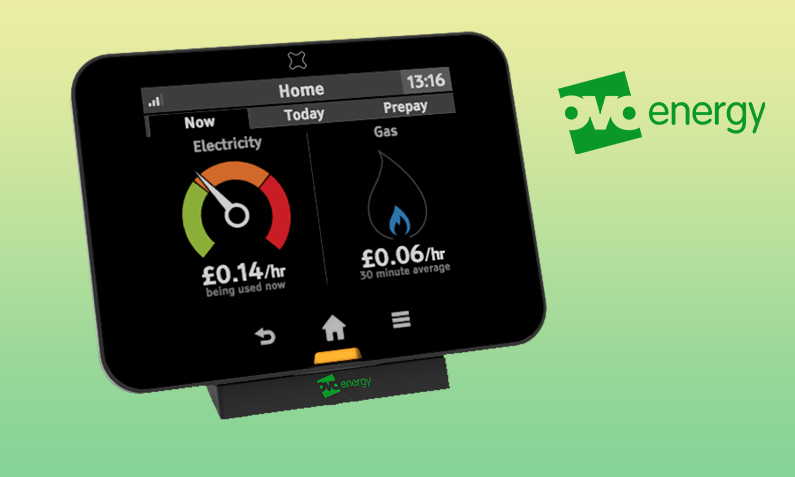
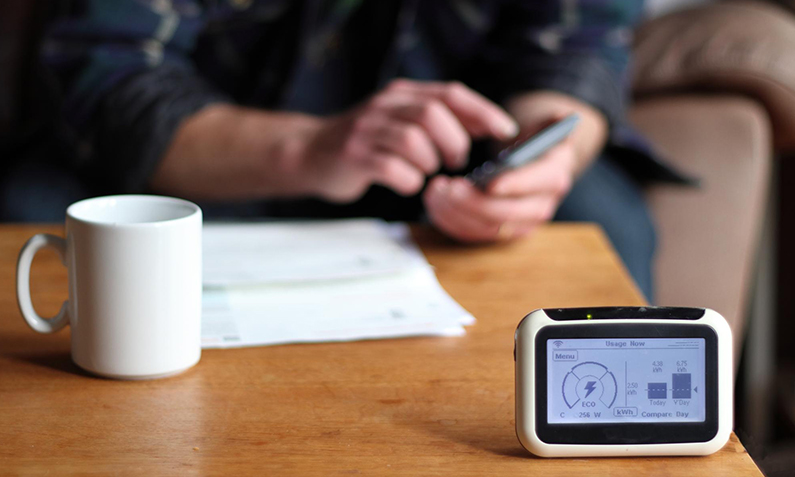
An In-Home Display (IHD) is the small portable screen that comes free with every OVO smart meter and shows your gas and electricity use in real time, in both pounds and pence and kWh. It reads data from your meters wirelessly, so you can see the running cost of the kettle, oven or immersion heater as it happens, and track spending by day, week or month. It does not affect your bill; it is a tool to help you spot what is costing the most.

The IHD is where behaviour change starts. Watching the daily figure climb makes it obvious when a heater or tumble dryer is the culprit, and on a time-of-use tariff it helps you confirm your heavy usage is landing in the cheaper window. Keep it plugged in near where you sit, as a flat or unplugged display can lose its connection to the meters. If it stops updating, unplug it for 30 seconds and place it closer to the meter to re-establish the signal.

How common are smart meters in the UK now?

Smart meters are now the majority in Great Britain, with more than 42 million smart and advanced meters operating in homes and small businesses, representing around 72% of all meters, according to the gov.uk smart meter statistics to the end of June 2026. Of the roughly 40 million smart meters installed, about 92% were operating in smart mode over the same period.

Installation pace has eased as the rollout matures. Between April and June 2026, around 1.1 million meters were installed, of which about 570,000 were replacements of existing meters rather than brand-new fits. That shift towards replacement is a sign of a maturing estate: most new installs now upgrade older SMETS1 units or swap out meters approaching the end of their life. If you have an older Radio Teleswitch (RTS) meter, note that the RTS signal is being phased out, and OVO and other suppliers are replacing those meters with smart alternatives, per Ofgem guidance. See our gas and electricity FAQs for more on meter types.

Compare energy suppliers and switch

SMETS1 vs SMETS2: which OVO meter do you have?

SMETS2 is the second-generation smart meter and OVO’s standard install in 2026; SMETS1 was the earlier generation, some of which lost smart functionality after a supplier switch. The practical difference is portability. A SMETS2 meter connects to the national Data Communications Company network, so it keeps working in smart mode if you switch supplier, whereas some older SMETS1 meters reverted to sending manual readings when a customer moved away from the supplier that installed them.

Most SMETS1 meters have since been migrated onto the shared network so they behave like SMETS2, but if yours still asks for manual readings after a switch, that is the likely cause and worth raising with OVO. You can usually tell which you have from the model: SMETS2 electricity meters on OVO are typically Aclara units, while older SMETS1 setups often use the Secure Liberty range. Either way, the reading method (wake the screen, scroll to import) is the same.

What to do if your OVO smart meter isn’t working

Contact OVO if your smart meter stops sending readings, shows no data on the In-Home Display for several days, or produces a bill that looks wrong, as these usually point to a lost network connection rather than a faulty meter. First, take a manual photo reading of both meters as a record and check the In-Home Display is plugged in and near the meter. If the display is blank or frozen, unplug it for 30 seconds and reconnect.

If readings still are not reaching OVO, or a bill is far higher than your usage suggests, raise a formal complaint with OVO. If it is not resolved after eight weeks, or you receive a deadlock letter, you can escalate free of charge to the Energy Ombudsman, which can order a supplier to correct billing errors and put things right. Citizens Advice also runs a consumer helpline for energy problems. Never attempt to interfere with or bypass a meter: tampering is theft and a criminal offence.

What to do if your OVO smart meter isn’t working

FAQs about ovo smart meter

How do I take a manual reading from my OVO smart meter?

Wake the meter by pressing the A or B button, then scroll to the screen labelled IMPRT or TOTAL ACT IMPORT for electricity, and note the whole number shown. On a two-rate plan you will see two figures for day and night rates. For gas, press the button and read the number in cubic metres. You only need to do this if the meter has stopped sending automatic readings.

Does an OVO smart meter cost anything to install?

No, OVO fits smart meters free of charge, and the cost of the national rollout is recovered across everyone’s energy bills rather than charged as a one-off fee. The meter and the In-Home Display come at no extra cost, and the meter stays with the property if you move house. You cannot decline the meter and get a discount, as the rollout cost is already built into standing charges.

Will my OVO smart meter still work if I switch supplier?

A SMETS2 meter, which is OVO’s standard install, keeps working in smart mode after you switch supplier because it connects to the shared national network. Some older SMETS1 meters lost smart functionality after a switch, but most have since been migrated onto that network. If your meter starts asking for manual readings after switching, contact your new supplier, as it can usually be reconnected remotely.

Why does my smart meter show different unit prices to my online account?

A smart meter or In-Home Display can show a unit rate that differs from your online account if the display has not updated after a tariff or price cap change. The figure your bill actually uses is the one held on your online account, not the display. If the two do not match after a few days, contact OVO to refresh the tariff data sent to your meter and display.

Can I refuse a smart meter from OVO?

Yes, you can decline a smart meter, as installation is not legally mandatory for most households. However, some tariffs, particularly cheaper time-of-use and EV tariffs, require a working smart meter, so refusing one limits your options. If your existing meter is an old Radio Teleswitch unit being switched off, your supplier will need to replace it, and a smart meter is the standard replacement.

Do smart meters work with Economy 7 and off-peak tariffs?

Yes, smart meters record separate day and night usage, so they support Economy 7 and other two-rate or time-of-use tariffs. On the meter you will see two reading registers, typically labelled RATE 01 and RATE 02. This is what lets a smart meter charge a cheaper rate for electricity used during off-peak hours, which suits households that can shift heavy usage such as EV charging into the cheaper window.

Why was my OVO gas smart meter installation refused?

A gas smart meter install can be declined on safety or access grounds, for example if the meter is in an awkward external enclosure, the pipework does not meet current standards, or the engineer cannot safely reach it. The electricity meter is often fitted on the same visit even when the gas one is not. Ask OVO for the specific reason and whether a specialist follow-up appointment can complete the gas install.

How often does an OVO smart meter send readings?

An OVO smart meter can send readings daily, monthly or half-hourly depending on your settings and tariff. Monthly is the default for standard tariffs, while time-of-use and half-hourly settlement tariffs use more frequent readings. You can adjust how often your meter shares data in your OVO account privacy settings, though more frequent readings are needed for off-peak tariffs to bill you accurately.

What happens if my In-Home Display stops working?

If your In-Home Display goes blank or stops updating, unplug it for about 30 seconds and place it closer to your meters to re-establish the wireless connection. The display does not affect your bills or the readings sent to OVO, so a faulty display will not cause billing errors. If it will not reconnect, OVO can send a replacement, though your meter continues sending readings regardless.

Is my OVO smart meter reading my usage even when the display is off?

Yes, your smart meter records and sends usage data independently of the In-Home Display, so switching the display off or unplugging it does not stop your meter working. The display is just a convenient screen for viewing your usage. Turning it off saves a small amount of electricity but has no effect on billing or on the automatic readings the meter sends to OVO.

What should I do if I get an unexpectedly high OVO bill after a smart meter install?

Take a photo of both meter readings straight away, then check them against the readings on your bill and online account for a mismatch. A high bill after installation often reflects a catch-up on previously estimated usage rather than an error, but genuine faults do happen. Raise a complaint with OVO if the figures do not add up, and escalate to the Energy Ombudsman free of charge if it is unresolved after eight weeks.

Do I need to be home for my OVO smart meter installation?

Yes, you must be present for the appointment because the engineer needs access to the property to fit and pair both meters and the In-Home Display, even if the meters are in external boxes. Appointments run Monday to Friday in arrival slots such as 8am to 12 noon or 2pm to 6pm. The engineer will carry OVO identification, or ID from a trusted metering partner working on OVO’s behalf.

Also Read Related Articles


Information correct as of 23 September 2026. Prices, tariffs, policy details and providers change frequently, so please check the latest details before making a decision. This article is for general information only and does not constitute financial advice. Free Price Compare is authorised and regulated by the Financial Conduct Authority (FCA).

4000+ reviews