

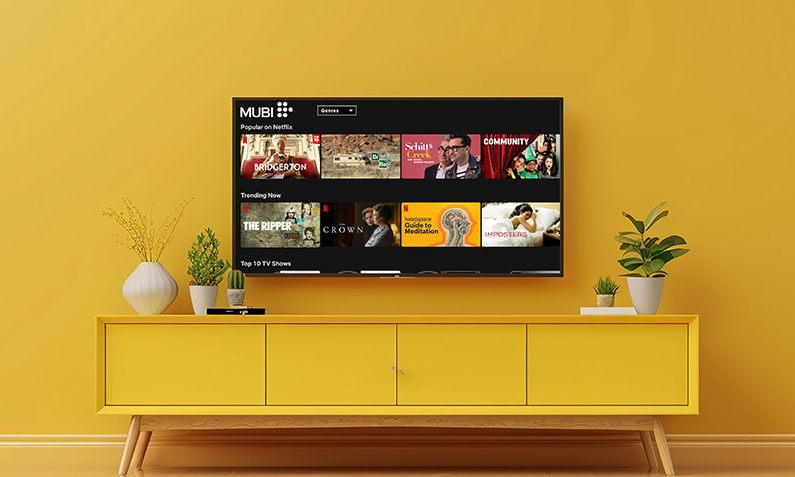

Watch MUBI in the UK: Cost, Devices and Broadband Bundles

Written by Shay Ramani
Reviewed by Pratik Aghera
9 min read
Updated: 14 Aug 2026
Watch MUBI in the UK: Cost, Devices and Broadband Bundles

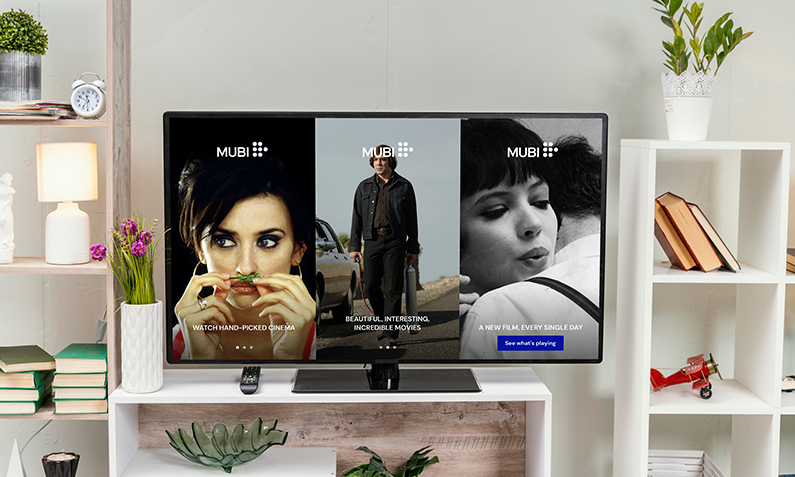
Watch MUBI in the UK by subscribing directly on the MUBI app or website from £11.99 a month, or by adding it through a compatible TV service such as Virgin TV. MUBI is a curated film streaming service that shows one hand-picked selection of cinema at a time, focusing on award-winning directors, world cinema and independent films rather than mainstream box sets.

MUBI works on smart TVs, streaming sticks, games consoles, phones and laptops, so a reliable home broadband connection is the main thing standing between you and a film. Free Price Compare produces this guide as part of our broadband and TV content, using MUBI’s own UK membership pricing and provider announcements from Virgin Media O2, with connectivity context sourced from Ofcom.

Quick Answer: Watch MUBI in the UK

  • Standard MUBI membership in the UK is £11.99/month or £95.88/year, with MUBI GO at £18.99/month (MUBI UK memberships page, August 2026).
  • Virgin TV customers who have never subscribed can sometimes get MUBI at a discounted promotional rate, such as £3.60/month for six months (Virgin Media O2, promotion running 22 August to 1 September 2025).
  • You can download MUBI films to watch offline on the mobile app, useful for commutes or trips with no connection.
  • MUBI streams in HD, so a stable connection of around 5 Mbps or more per stream is enough; full fibre is available to 82% of UK homes (Ofcom Connected Nations update, Spring 2026, data as of January 2026).
  • MUBI is unlike Netflix in scale: instead of a huge back catalogue, it curates a rotating selection of cinema, with individual titles available for a limited window.

Last updated: August 2026

Written by the Free Price Compare editorial team | Reviewed August 2026

How much does MUBI cost in the UK?

MUBI costs £11.99 a month for standard membership in the UK, or £95.88 if you pay for a full year up front, according to MUBI’s own UK memberships page (August 2026). Paying annually works out at around £7.99 a month, so committing for the year is the cheaper route if you plan to keep it. MUBI GO, which adds a cinema perk on top of streaming, is priced at £18.99 a month. Prices quoted on some third-party deal sites differ from these figures, but MUBI’s own membership page is the authoritative source, so treat the direct pricing above as correct and check the app before you subscribe.

Plan Price What you get
MUBI monthly £11.99/month Full streaming library, rotating curated selection
MUBI annual £95.88/year (around £7.99/month) Same as monthly, cheaper per month
MUBI GO £18.99/month Streaming plus a cinema ticket perk

Figures are indicative and may change. Source: MUBI UK memberships page, August 2026.

Streaming subscriptions like this sit alongside your broadband bill rather than being part of it, so it is worth reviewing what you pay across your connection and add-ons together. Unlike a fixed streaming subscription, many broadband contracts allow mid-contract price rises; under Ofcom rules that took effect in January 2025, providers must set out any in-contract price increase in pounds and pence at the point of sale, rather than linking rises to inflation. If your broadband contract is coming to an end, you can compare current broadband deals and free up budget for the streaming services you actually use.

Compare broadband deals to fit your streaming budget

James Ford Broadband Deals Reviewed by James Ford, TV and Broadband Expert
Extra

  • New customers only
500Mb average* speed
Unlimited Downloads
£0.00 Setup costs
24 Month contract
Pay as you goCalls
£27.99per month

Full Fibre 150

  • New customers only
  • Switch to Fibrus and they'll cover up to £400 of your switching fees
  • No mid-contract price rises
159Mb average* speed
Unlimited Downloads
£0.00 Setup costs
18 Month contract
Pay as you goCalls
£34.99per month

Superior

  • New customers only
900Mb average* speed
Unlimited Downloads
£0.00 Setup costs
24 Month contract
Pay as you goCalls
£29.99per month

Is there a free MUBI trial or a cheaper way in?

MUBI has historically offered promotional entry points such as free trial periods and heavily discounted introductory months, though the exact offer changes over time. The clearest recent UK route was through Virgin Media O2, which gave eligible Virgin TV customers 70% off for six months, cutting the standard £11.99 down to £3.60 a month during a promotion that ran from 22 August to 1 September 2025, according to Virgin Media O2. Virgin TV customers have also previously been offered short introductory periods at a nominal price before the service reverted to £11.99 a month. Because these deals are time-limited and eligibility usually requires that you have never subscribed before, always confirm the current terms and the price you will pay after the offer ends. If a trial is available, set a reminder to cancel before it converts to a paid month if you decide it is not for you.

How do I watch MUBI on my smart TV and other devices?

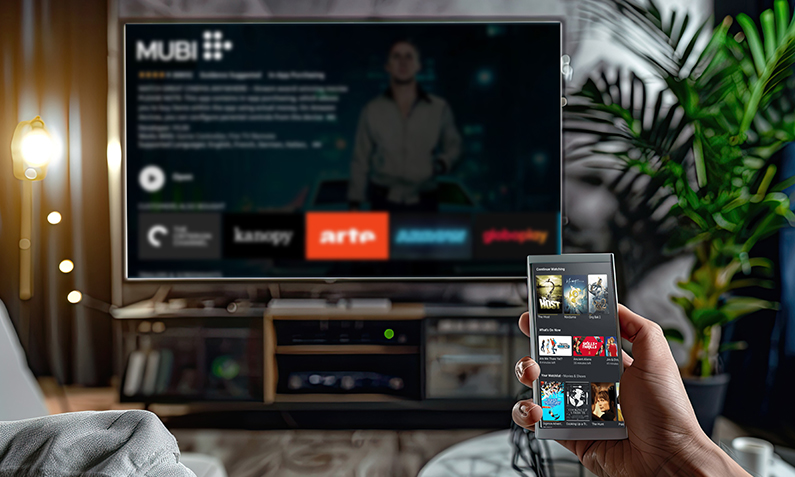
Watch MUBI on a smart TV by opening the MUBI app on the TV, or by using a streaming stick, games console or the free MUBI mobile and web apps. MUBI supports common living-room platforms including popular smart TV brands, streaming sticks, Apple TV, Android TV and Roku, plus games consoles, phones, tablets, PCs and laptops. To get started, download the MUBI app on your device, sign in with your MUBI account, and start playing. If your TV does not have the MUBI app built in, a low-cost streaming stick plugged into an HDMI port is the simplest fix, or you can cast from your phone. Virgin TV customers can access MUBI directly through Virgin TV 360 or Virgin TV Stream boxes without a separate device, which is the tidiest option if you already have that service. Virgin Media says MUBI is available on Virgin TV 360 and Stream boxes and is integrated into the TV service, so customers can watch it directly on the box without a separate device.

  • Smart TVs with the MUBI app pre-installed, opened straight from the home screen.
  • Streaming sticks and boxes such as Apple TV, Android TV and Roku.
  • Games consoles, plus phones, tablets, laptops and web browsers.
  • Virgin TV 360 and Virgin TV Stream, where MUBI appears among the apps.

If you are setting up streaming across the house, our guides to watching NOW TV on your TV and watching Amazon Prime Video on your TV follow the same device logic and are worth a look.

How do I watch MUBI on my smart TV and other devices

Can I watch MUBI offline?

Yes, you can watch MUBI offline by downloading films to the MUBI mobile app before you lose your connection. Downloads let you save titles to a phone or tablet and play them later without using data, which is handy for commutes, flights or areas with weak signal. Offline downloads are a feature of the mobile app rather than the TV apps, and downloaded films remain watchable for a limited period and while your subscription is active. Once you are back on a stable connection, streaming in HD needs only a modest, steady bandwidth, so a standard home broadband line handles a single MUBI stream comfortably. Ofcom’s UK home broadband research and Connected Nations reporting establish that standard home broadband lines are generally sufficient for a single HD video stream, but the exact “MUBI” streaming figure is not stated in the primary sources provided.[8][14][19]

Getting buffering on your films?

A slow or unstable line is the usual cause of poor streaming quality.

What broadband speed do you need to stream MUBI?

MUBI streams in HD, so a stable connection of around 5 Mbps per stream is enough for smooth playback on one device, with a little more headroom useful if others are online at the same time. Speed matters less than stability for a single film, but if several people in the household stream, game or video-call at once, a faster line avoids buffering. Full fibre is available to 82% of UK homes, some 24.9 million premises, and gigabit-capable broadband now reaches 89% of UK residential premises, according to Ofcom’s Connected Nations update (Spring 2026, data as of January 2026). Full fibre also gives more consistent speeds during busy evening hours, which is when most film watching happens. If your evenings involve buffering, the fix is usually a more reliable connection rather than a faster headline number.

For households that stream heavily, a full-fibre package can remove the bottleneck entirely. It is worth checking what speeds are available at your postcode before you upgrade, and our guides to 150Mb fibre broadband and Sky Full Fibre 150 explain what mid-range full-fibre tiers deliver in practice.

Check full-fibre availability at your postcode

Can you get MUBI through a broadband or TV bundle?

MUBI is available through Virgin TV rather than as a standard inclusion in most broadband bundles, so the main UK bundle route is via Virgin Media O2. Virgin TV customers can access MUBI directly on Virgin TV 360 or Virgin TV Stream boxes, and Virgin Media O2 has used MUBI as a discounted content perk for TV customers, such as its 70% off for six months offer confirmed in an announcement dated 22 August 2025. Most other broadband providers do not include MUBI as a headline perk, so for those households the direct MUBI subscription remains the standard way in. Before signing up for a bundle, check how the TV or broadband price behaves over the contract: under Ofcom’s rules introduced in January 2025, any mid-contract price rise must be shown upfront in pounds and pence, so you can see exactly what a bundled deal will cost after any increase. If you are choosing a new broadband and TV setup, it is worth checking whether streaming perks you would actually use are included, since a perk you already pay for separately is a real saving, while one you would never open adds nothing.

How is MUBI different from Netflix?

MUBI differs from Netflix mainly in scale and approach: MUBI curates a rotating selection of cinema focused on directors, world cinema and independent films, while Netflix offers a large, permanent library of mainstream films and box sets. On MUBI, titles are hand-picked and each film is available for a limited window before rotating out, so the emphasis is on discovery and quality over sheer volume. Netflix, by contrast, aims for breadth and keeps most of its catalogue available on demand. MUBI also leans towards subtitled foreign-language films, arthouse releases and festival titles, which is exactly the appeal for film enthusiasts and the reason it does not try to compete on quantity. In short, choose MUBI if you want curated cinema you might not find elsewhere, and a broad streaming service if you want something to have on in the background. Ofcom does not publish a primary-source figure for this comparison; MUBI is the curated-cinema option, while a broad streaming service is the better fit for background viewing.

Is MUBI worth it in the UK?

MUBI is worth it for viewers who value curated, high-quality cinema over a large on-demand catalogue, and less so for households wanting mainstream box sets or films to have on continuously. At £11.99 a month, or around £7.99 a month if you pay annually (MUBI UK memberships page, August 2026), it costs roughly the same as a mainstream streaming tier while offering something different: hand-picked world cinema, arthouse and award-winning films. Because titles rotate and each is available for a limited window, MUBI suits people who watch deliberately rather than casually. A practical test is to start on a monthly plan or any current promotional offer, watch several films across a month, and only switch to the cheaper annual plan once you know it fits your viewing habits.

How do I cancel my MUBI subscription?

Cancel your MUBI subscription in your account settings, under the membership or subscription section, on the MUBI website or app. Cancelling stops the next payment while keeping your access until the end of the current billing period, so you do not lose the days you have already paid for. If you signed up through a third party such as an app store or a TV provider, you may need to cancel through that provider’s billing settings rather than directly with MUBI. When taking a free trial or a promotional month, note the date the offer ends and cancel before it converts to a paid subscription if you decide not to continue. Keeping streaming subscriptions under review, and cancelling the ones you have stopped using, is one of the simplest ways to trim monthly household spending. Ofcom’s Media Nations 2026 report found that in the financial year ending 2025, UK households spent over £1 billion a week on subscriptions, media, content and the devices to access it.

How do I cancel my MUBI subscription

Trim your household bills with a better broadband deal

FAQs about watch mubi

How much does MUBI cost per month in the UK?

MUBI costs £11.99 a month for standard membership in the UK, or £95.88 a year if you pay annually, which works out at around £7.99 a month. MUBI GO, which adds a cinema perk, is £18.99 a month. Prices come from MUBI's own UK memberships page as of August 2026.

Does MUBI have a free trial?

MUBI has offered free trial periods and discounted introductory offers at various times, but the exact promotion changes and is not always running. If a trial is available at signup, it will be shown before you pay. Always check the current offer in the app and set a reminder to cancel before it converts to a paid month if you decide against continuing.

Can I watch MUBI films offline?

Yes, you can download MUBI films to the mobile app to watch offline without using data. Downloads are a feature of the phone and tablet apps rather than the TV apps, and saved films stay watchable for a limited period while your subscription is active. This is useful for commutes, flights or places with a poor signal.

How do I activate MUBI on my smart TV?

Download or open the MUBI app on your smart TV, sign in with your MUBI account details, and start playing. If your TV shows an activation code, enter it on the MUBI website using another device to link your account. If your TV has no MUBI app, use a streaming stick, a games console or cast from your phone instead.

What is MUBI GO and the free cinema ticket?

MUBI GO is a higher membership tier that combines the streaming service with a cinema perk, priced at £18.99 a month on MUBI's UK memberships page as of August 2026. It is aimed at film fans who want to see selected titles on the big screen as well as at home. Availability of participating cinemas varies by location, so check which venues near you take part before subscribing.

Can I watch MUBI on a PS5 or Xbox?

MUBI is available on a range of devices including popular games consoles, so you can often watch it on a PS5 or Xbox by downloading the MUBI app from the console's store. If the app is not available on your console, use a smart TV app, a streaming stick or the mobile and web apps instead. Sign in with your MUBI account once installed.

Is MUBI included with Virgin Media broadband?

MUBI is available through Virgin TV rather than automatically included with Virgin Media broadband. Virgin TV customers can access MUBI on Virgin TV 360 or Virgin TV Stream boxes, and Virgin Media O2 has offered eligible TV customers discounted promotions such as 70% off for six months. Check your current package and any live offer, as eligibility usually requires you have never subscribed to MUBI before.

What broadband speed do I need to stream MUBI?

A stable connection of around 5 Mbps per stream is enough to watch MUBI in HD on one device without buffering. If several people in the household stream, game or video-call at the same time, a faster line gives more headroom. Consistency during busy evening hours matters more than a high headline speed for a single film.

Can I watch MUBI movies for free?

MUBI is a paid subscription service, so there is no permanent free tier, though free trials and heavily discounted introductory offers appear from time to time. Occasional one-off free screenings have also been run through partner promotions. Outside of those limited offers, watching MUBI requires an active membership from £11.99 a month.

Is MUBI worth it for casual viewers?

MUBI suits people who enjoy curated, quality cinema and watch deliberately, rather than casual viewers who want something on in the background or a large box-set library. Because titles rotate and are available for a limited window, it rewards active viewing. A sensible test is to try a monthly or promotional plan for a month, then switch to the cheaper annual plan only once you know it fits your habits.

Also Read Related Articles


Information correct as of 7 August 2026. Prices, tariffs, policy details and providers change frequently, so please check the latest details before making a decision. This article is for general information only and does not constitute financial advice. Free Price Compare is authorised and regulated by the Financial Conduct Authority (FCA).

4000+ reviews



